Github Tokens
A Github token will be needed to successfully run several labzen functions.
This token must be from UBC’s Github Enterprise (GHE) site, not from Github.com.
You can generate a new Github Enterprise personal access token here.
Alternatively, if you have labzen installed and have a Python interpreter open, you can run:
from labzen import labzen as lz

# Open a web browser to generate a token
lz.create_github_token()
This will open up a browser to Github Enterprise.

After entering your username and password, you should see a page like this:
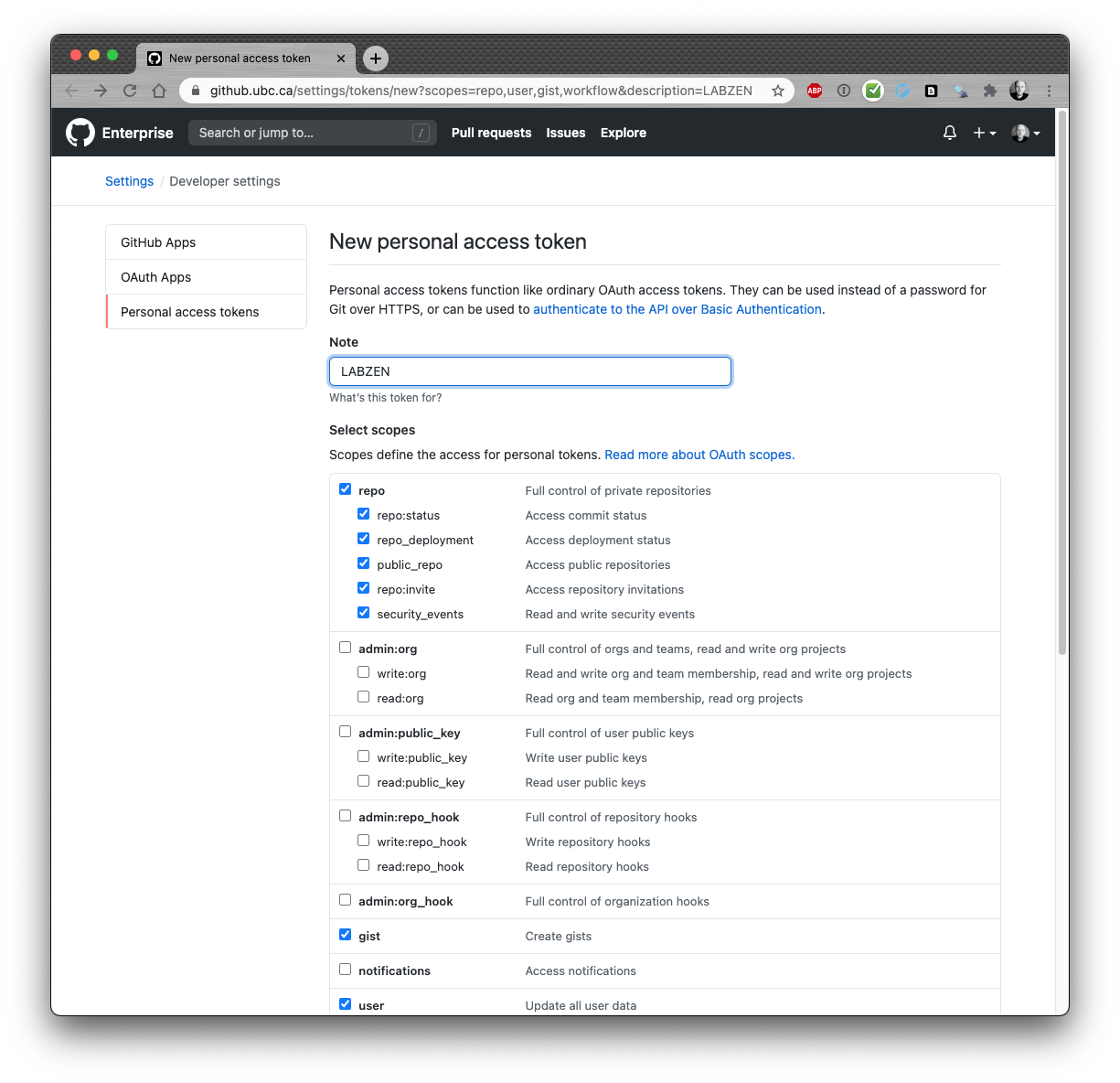
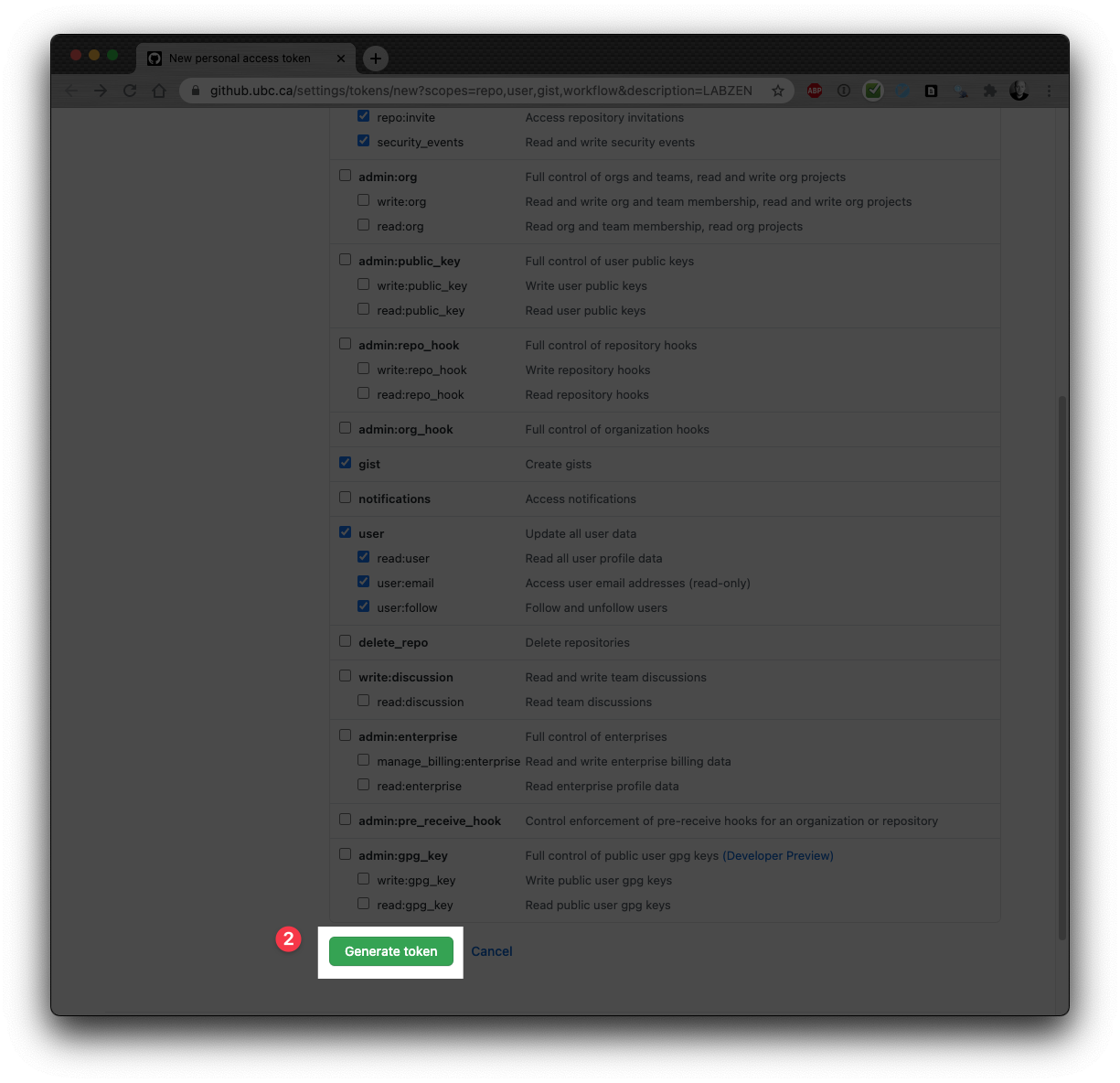
Scroll all the way down to the page and generate the token.
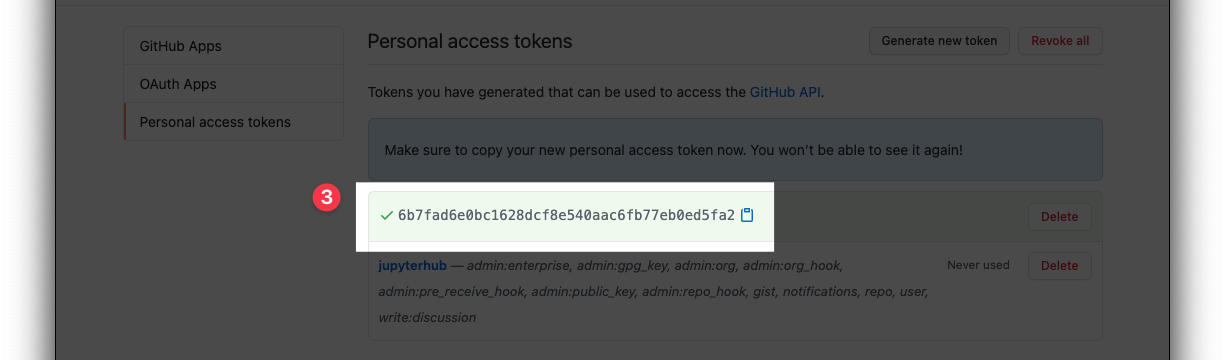
Next, copy the token and save it in safe place. After you close the browser window, you will not be able to copy this token again (you can, however, re-generate a new token if you misplace this one).
labzen does not yet use a credentials management system,
so you you will need this token anytime you run a labzen checking function.